
The web design industry has changed faster in the last 24 months than in the previous decade. In 2026, the question is no longer “should I use AI?” but rather “which AI tools for web designers actually deserve a spot in my workflow?” At FatCow Web Design, we test dozens of tools every quarter. Below is our honest, hands-on roundup of the ones we keep coming back to, organized by category: layout generation, image creation, copywriting, and color palettes.
Why AI Tools Matter for Web Designers in 2026
AI is no longer just a novelty. It compresses time on repetitive tasks (wireframing, placeholder copy, hero images) so designers can spend more time on strategy, brand thinking, and polish. The designers who win in 2026 are not the ones who fight AI, but the ones who orchestrate it.
- Speed: First drafts of layouts in minutes, not days.
- Cost efficiency: Fewer stock licenses, fewer revision rounds.
- Creative range: Explore 20 directions before committing to one.
- Client communication: Show realistic mockups during the first meeting.

1. AI Tools for Layout & Wireframe Generation
This is where AI has matured the most. Today’s tools can take a prompt and return a working, editable layout (not just a static image).
Figma Make
Figma’s native AI feature lets you describe a page and generate layout, copy, and styling, then refine visually or with code. It is now deeply integrated in most design teams.
- Pros: Lives inside Figma, real components, easy handoff to devs.
- Cons: Best results require detailed prompts; still favors generic SaaS aesthetics.
- Use case: Generating 3 layout directions for a client kickoff in under 30 minutes.
Magic Patterns
A favorite in the UX community for turning prompts into React-based UI patterns you can drop into a real project.
- Pros: Production-ready components, great for dashboards and SaaS UI.
- Cons: Less useful for marketing or editorial sites.
Uizard
Still one of the fastest ways to turn a sketch (or a sentence) into a clickable prototype.
- Pros: Beginner friendly, sketch-to-wireframe magic.
- Cons: Output quality varies; needs manual refinement.
2. AI Tools for Image & Visual Generation
Hero images, illustrations, textures, and mockups are now produced in seconds. The challenge is choosing the right tool for the right vibe.
| Tool | Best For | Pros | Cons |
|---|---|---|---|
| Midjourney v7 | Editorial hero images, moodboards | Stunning aesthetic quality, strong style control | Less precise text rendering, subscription only |
| DALL-E (GPT image) | Quick concepts inside ChatGPT | Easy iteration in conversation, good at text in images | Less artistic finesse than Midjourney |
| Stable Diffusion (Flux) | Self-hosted, full control | Open source, LoRA training for brand styles | Steeper learning curve |
| Kittl AI | Illustrations, badges, vector style | Designer-focused UI, great for brand assets | Niche aesthetic |
| Generated Photos | Realistic faces and portraits | License-clean human models | Limited beyond portraits |
Practical workflow tip
We typically build a moodboard in Midjourney, then recreate the chosen direction in Stable Diffusion with a brand-trained model. This gives us consistency across the entire site.
3. AI Copywriting Assistants for Web Projects
Lorem ipsum is dead. Clients now expect realistic copy in mockups, and AI delivers it instantly.
ChatGPT (GPT-5)
- Pros: Versatile, excellent for tone matching, can generate full site structures.
- Cons: Needs strong briefs to avoid generic output.
- Use case: Writing hero headlines, meta descriptions, and CTA variants for A/B testing.
Claude
- Pros: Long-context master, perfect for analyzing full brand guidelines and rewriting entire site copy in a consistent voice.
- Cons: Slightly more conservative tone by default.
Jasper
- Pros: Built-in brand voice memory, marketing-specific templates.
- Cons: Pricier than general-purpose LLMs.
4. AI Tools for Color Palettes & Visual Identity
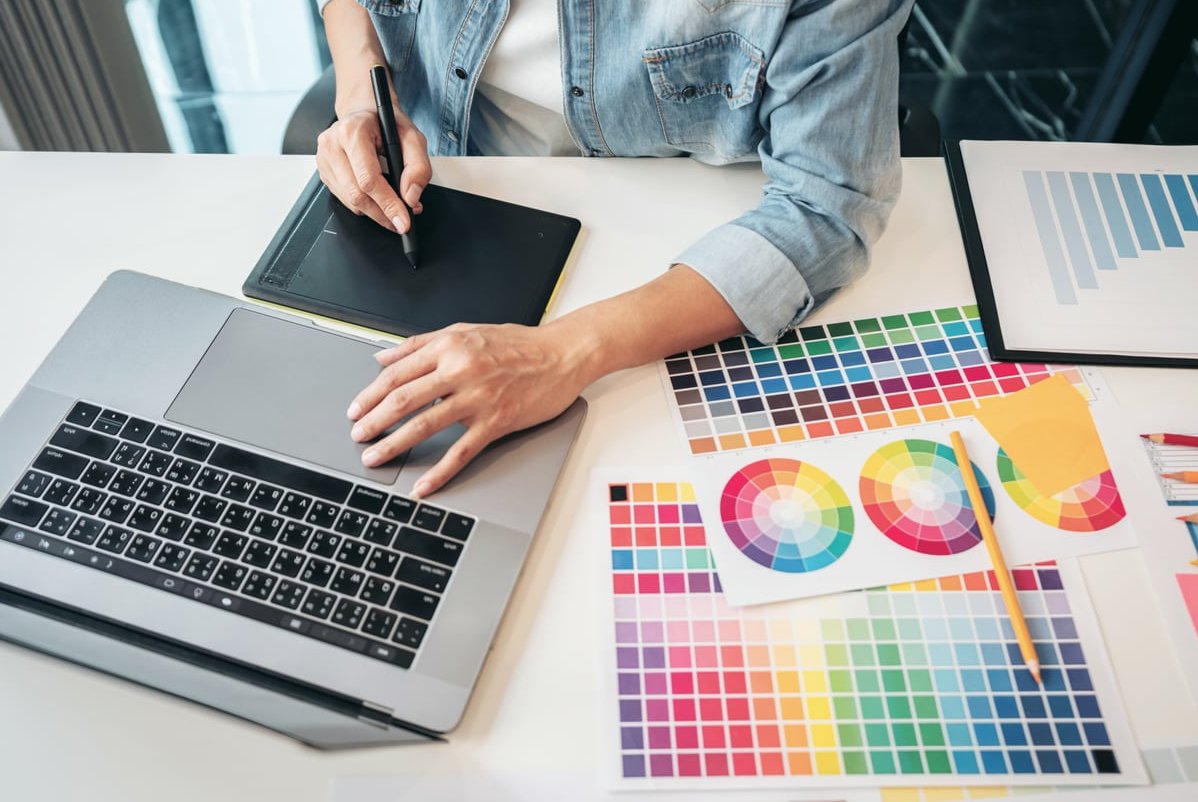
Color is where many AI tools still feel mechanical. These three actually understand harmony.
Khroma
Trained on your personal color preferences, then generates infinite palettes that match your taste.
- Pros: Personalized, fast, good accessibility info.
- Cons: Requires initial training step.
Huemint
AI-driven palette generator with brand, web, and illustration modes.
- Pros: Outputs realistic UI previews, great for client presentations.
- Cons: Can feel repetitive after many uses.
Adobe Firefly Palettes
Now integrated across Creative Cloud, Firefly suggests palettes based on an uploaded reference image or prompt.
- Pros: Seamless inside Photoshop and Illustrator.
- Cons: Requires Adobe subscription.
How We Combine These Tools at FatCow Web Design
Here is a real example of a recent client project, a B2B SaaS landing page, delivered in 4 days instead of 3 weeks:
- Brief & strategy: Claude analyzes the client brand guide and competitor sites.
- Wireframes: Figma Make generates 3 layout directions from the strategy doc.
- Copy: ChatGPT writes hero, features, social proof, and CTAs in the validated voice.
- Visuals: Midjourney creates moodboard, Stable Diffusion renders final hero illustrations.
- Colors: Huemint proposes accessible palettes, validated in Figma.
- Polish: Human designer refines spacing, typography, micro-interactions.
The last step is the most important. AI accelerates the 80%. The remaining 20% is still where great designers earn their value.
What to Avoid in 2026
- One-click “AI website builders” for serious brand projects. They are great for personal sites but produce templated results that hurt differentiation.
- Unedited AI copy. Google’s helpful content systems have become extremely good at detecting low-effort generated text.
- Generic AI images for hero sections. If your hero looks like every other SaaS, you lose credibility instantly.
FAQ: AI Tools for Web Designers
Are AI tools replacing web designers in 2026?
No. They are replacing repetitive tasks. Strategy, brand intuition, user empathy, and craft remain firmly human territory. Designers who embrace AI deliver more value, not less.
Which AI tool should a beginner web designer start with?
Start with Figma Make for layouts and ChatGPT for copy. They cover 70% of daily needs with a gentle learning curve.
Are there free AI tools for web designers?
Yes. Huemint, Khroma, and the free tiers of ChatGPT, Stable Diffusion (via local install), and Figma cover a strong free-tier workflow.
Can I use AI-generated images commercially?
Most major tools (Midjourney, DALL-E, Firefly, Stable Diffusion) allow commercial use on paid plans, but always check the current license. Firefly is the safest for client work because Adobe indemnifies enterprise users.
How do I keep my designs original when everyone uses the same AI?
Train custom models on your brand, write detailed prompts, combine multiple tools, and always finish with manual designer polish. The unique mix is the moat.
Final Thoughts
The best AI tools for web designers in 2026 are not the ones that replace you, but the ones that amplify you. At FatCow Web Design, we treat AI as a junior team member: incredibly fast, occasionally brilliant, and always in need of direction. Use the stack above, keep the human craft in the loop, and you will ship better work faster than ever before.
Need a web design partner that masters both AI and craft? Get in touch with our team for a free strategy call.
